
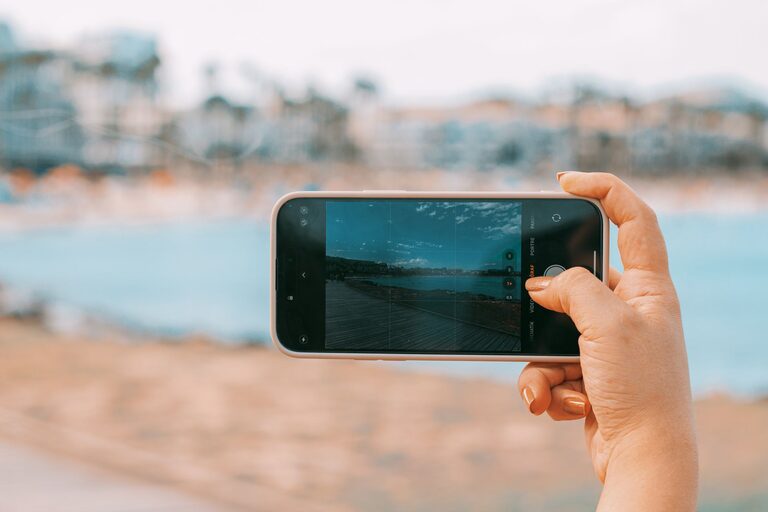
Beginner Tips for Taking Better Phone Photos
Taking great photos with your phone is easier than you might think. With the right techniques and a bit of practice, you can capture stunning images without needing a fancy camera. Whether you’re snapping pictures of your daily life, nature, or special moments, these beginner tips will help you take better phone photos.
Understand Your Phone’s Camera Features
Before diving into photography techniques, take some time to explore your phone’s camera settings and features.
– Know your camera modes: Most smartphones offer various modes such as portrait, panorama, night mode, and more. Experiment with these to see what works best in different situations.
– Learn about resolution and aspect ratio: Higher resolution means better quality photos. Adjust the aspect ratio (like 4:3 or 16:9) depending on how you want your photo framed.
– Enable gridlines: Turn on gridlines in your camera settings to help with composition by following the “rule of thirds” (more on this later).
Keep Your Lens Clean
A simple yet often overlooked step is to make sure your camera lens is clean. Fingerprints, dust, or smudges can cause blurry or hazy photos. Use a soft cloth, such as a microfiber cloth, to gently wipe the lens before taking photos.
Focus on Composition
Good composition can make a huge difference in your photos. Here are some beginner-friendly tips to improve the way you frame your shots:
Use the Rule of Thirds
Imagine your screen divided into nine equal parts by two vertical and two horizontal lines. Place your main subject along these lines or where they intersect. This tends to create a more balanced and appealing photo than centering your subject all the time.
Look for Leading Lines
Leading lines are natural lines within your scene that draw the viewer’s eyes toward the main subject or deeper into the picture. These could be roads, fences, bridges, or even shadows.
Simplify Your Scene
Try to keep your photos uncluttered. A busy background may distract from the main subject. Move around to find a clean background, or zoom in closer to avoid unnecessary details.
Experiment with Angles
Instead of always shooting at eye level, try different perspectives. Get low to the ground, shoot from above, or tilt your phone for creative angles. Changing your viewpoint can reveal interesting details and add depth to your photos.
Make Good Use of Lighting
Lighting is one of the most important factors in photography.
– Natural light is best: Whenever possible, use natural daylight. Early morning and late afternoon (the golden hours) provide warm, soft light that enhances your photos.
– Avoid harsh midday sun: Bright, direct sunlight can create strong shadows and highlights. If taking photos in the middle of the day, look for shaded areas or overcast skies to soften the light.
– Use shadows and highlights creatively: Shadows can add drama or texture, while highlights can brighten your subject.
– Avoid using your phone’s flash: The built-in flash often produces flat and unnatural lighting. Instead, try to increase exposure manually or move closer to your subject.
Keep Your Phone Steady
Blurry images can happen when your phone moves while taking a photo. To minimize this:
– Hold your phone with both hands and keep your elbows close to your body.
– Lean against a stable surface if possible.
– Use a tripod or phone stand if you want extra stability, especially in low light.
– Use the timer function to avoid shaking the phone when you tap the shutter.
Master Focus and Exposure
Most smartphones let you tap the screen to select the focus point. This ensures your subject is sharp.
After tapping to focus, you can often adjust exposure (brightness) by sliding your finger up or down on the screen. This helps avoid overly dark or bright photos.
Take Multiple Shots
Don’t settle for just one photo. Take several shots from different angles, distances, and settings. This increases your chances of capturing the perfect picture.
Use Editing Apps to Enhance Your Photos
Editing is part of modern photography and can help bring out the best in your phone photos.
– Use simple apps like Snapseed, VSCO, or Lightroom Mobile for basic adjustments such as cropping, straightening, brightness, contrast, and color correction.
– Avoid over-editing. Aim to enhance your photo while keeping it natural.
– Try filters sparingly; sometimes subtle edits create the most pleasing results.
Practice Regularly
Like any skill, improving your phone photography takes practice. Make a habit of experimenting with different subjects, lighting conditions, and compositions. Over time, you’ll develop your style and learn what works best for you.
Summary
Here’s a quick recap of the beginner phone photography tips:
– Explore your phone’s camera features and settings.
– Keep your lens clean.
– Use the rule of thirds and leading lines.
– Simplify your composition.
– Experiment with different angles.
– Use natural lighting and avoid flash.
– Hold your phone steady or use a tripod.
– Tap to focus and adjust exposure.
– Take multiple shots to choose from.
– Edit photos to enhance but keep it natural.
– Practice regularly to improve.
Following these tips will help you take better photos with your smartphone and capture beautiful moments with confidence. Happy shooting!
