
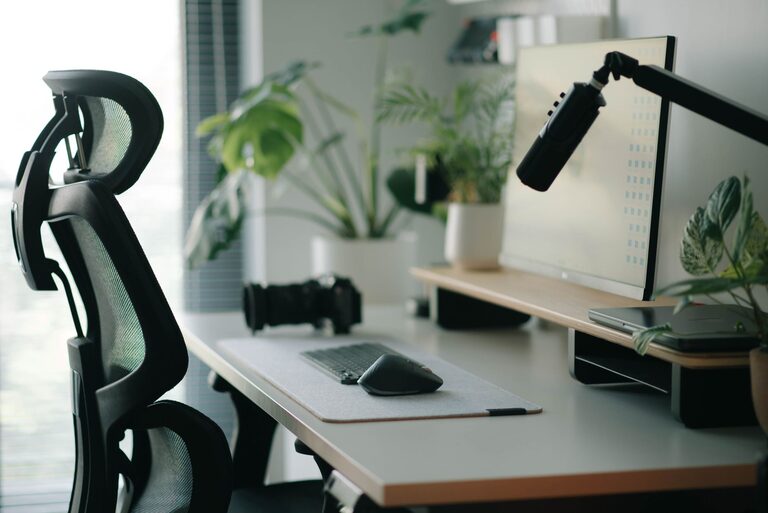
Desk Setup Tips for Focus and Comfort
Creating a desk setup that enhances both your focus and comfort is essential for productivity and overall well-being — whether you work from home or at an office. A well-organized and ergonomic workspace helps reduce distractions, minimizes physical strain, and promotes better concentration. In this post, we’ll explore practical tips to help you design a desk setup tailored to your needs.
Why a Good Desk Setup Matters
Before diving into the tips, it’s helpful to understand why your workspace matters. A disorganized or uncomfortable desk can lead to poor posture, fatigue, and difficulty concentrating. On the other hand, a thoughtfully arranged setup can boost your energy, reduce discomfort, and keep your mind clear. It’s about creating a space that invites focus and supports your body throughout the day.
Choosing the Right Desk and Chair
Desk Height and Space
Start with a desk that fits your height and offers enough surface area for your essentials without feeling cluttered. Your desk should allow you to keep your elbows at roughly a 90-degree angle when typing or writing to prevent strain.
Consider a desk with adjustable height if you want the option to alternate between sitting and standing. This flexibility can improve circulation and reduce stiffness.
Comfortable Seating
An ergonomic chair with lumbar support is vital for comfort during long hours of sitting. Look for chairs that are adjustable in height and angle so you can customize your seating position.
Make sure your feet rest flat on the floor or on a footrest. This helps maintain proper posture and reduces pressure on your lower back.
Organizing Your Desk for Focus
Declutter Regularly
Keep only the items you use daily on your desk. Excess clutter can overwhelm your mind and disrupt workflow.
Use organizers like trays, pen holders, or small drawers to keep tools tidy and easily accessible.
Position Essentials Within Reach
Arrange frequently used items such as your keyboard, mouse, and notebook close by to avoid unnecessary stretching or twisting.
Place less-used items further away or store them nearby but out of sight to maintain a clean workspace.
Manage Cables Neatly
Tangled cables can be a distraction and look messy. Use cable organizers, clips, or sleeves to keep wires under control.
Wireless accessories can also reduce clutter and improve flexibility.
Lighting for Comfort and Focus
Lighting plays a crucial role in reducing eye strain and maintaining alertness.
Natural Light
If possible, position your desk near a window to benefit from natural light. It helps regulate your sleep cycle and boosts mood.
However, avoid direct glare on your screen by using curtains or blinds.
Task Lighting
Add a desk lamp with adjustable brightness to illuminate your workspace evenly. Choose bulbs with daylight or cool white color temperatures for better focus.
Position the lamp on the opposite side of your dominant hand to minimize shadows.
Ergonomics and Posture Tips
Monitor Placement
Your monitor should be about an arm’s length away, with the top of the screen roughly at eye level. This prevents neck strain from looking too far up or down.
Use a monitor stand or stack books to achieve the right height if necessary.
Keyboard and Mouse Setup
Place your keyboard and mouse close together at a comfortable height so that your wrists remain straight. Consider a wrist rest to reduce pressure.
Avoid reaching forward or bending your wrists excessively.
Take Microbreaks
Stand up, stretch, or walk briefly every 30 to 60 minutes to reduce muscle fatigue and promote circulation.
Simple exercises like shoulder rolls or neck stretches can relieve tension.
Personalizing Your Space Without Clutter
Adding personal touches can make your workspace inviting and motivating. Consider:
– A small plant for a touch of greenery and improved air quality
– Inspirational quotes or photos to boost morale
– A comfortable cushion or wrist pad for added support
However, keep decorations minimal to avoid overwhelming your desk.
Technology Tips for Productivity
Use a Second Monitor
If your work involves multitasking, a second monitor can improve efficiency by expanding your screen real estate.
Keyboard Shortcuts and Software
Learn keyboard shortcuts and use focus-enhancing software to streamline your workflow and minimize distractions.
Noise Management
If you work in a noisy environment, noise-cancelling headphones or white noise machines can help maintain concentration.
Conclusion
Setting up your desk for focus and comfort is an investment in your productivity and health. By selecting the right furniture, organizing your tools, optimizing lighting, and caring for your posture, you create a workspace that supports your best work. Regularly evaluate your setup and make adjustments to suit your changing needs. With these simple tips, your desk can be a place where focus and comfort come together seamlessly.
